Focus and routines
Use the timer, Pomodoro or interval rounds. Editable presets help you start your next session.
 OxClock
OXCLOCK FOR ANDROID
A clock that feels like a real gadget. Alarms, timers, a stopwatch and world time—all within the familiar OxClock interface.
The download link will appear when the Google Play listing is published.
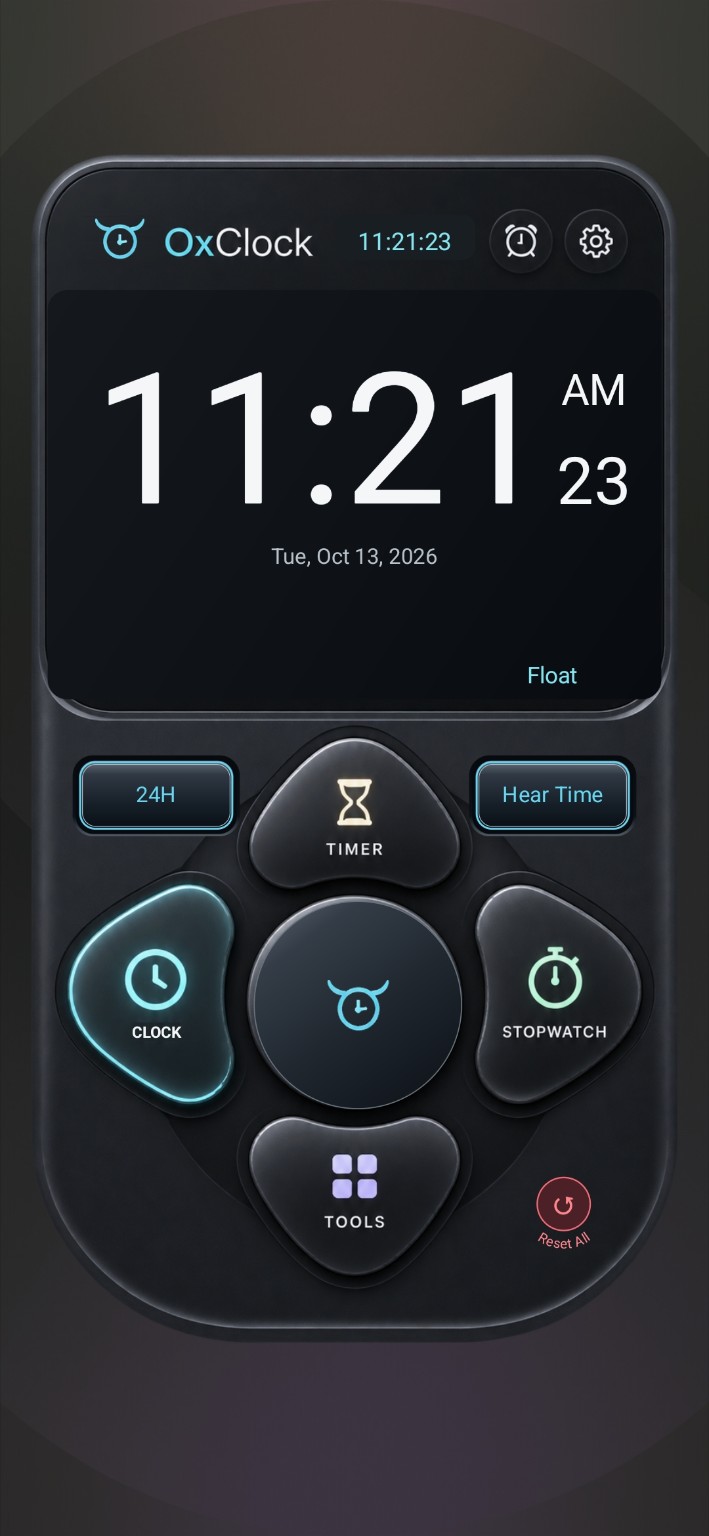
CLOCK FIRST. USEFUL TOOLS SECOND.
Use the timer, Pomodoro or interval rounds. Editable presets help you start your next session.
Record stopwatch laps, compare saved world cities and browse the calendar without leaving the gadget interface.
Choose Floating Mode to keep a compact clock or active tool above other apps. Android asks for overlay permission.
THE REAL INTERFACE
Authentic screenshots from the Android app. Select a screenshot to view it at full size.

Your chosen cities, together on one screen.

Start, pause and record laps.

Set a duration and keep your running timer in view.

Set the time and manage alerts through Android permissions.

Work and rest rounds with editable presets.

Browse months in the same gadget interface.

A movable time panel above other apps, with your permission.
GOOD TO KNOW
The current Android 0.13 release uses local tools and bundled speech audio. Opening a website or the Google Play listing uses your external browser.
Floating Mode is optional and requires Android’s “Display over other apps” permission. Drag the panel, close it or expand back to the app.
Android permissions allow notifications, scheduled alerts and supported full-screen alerts. Power saving, force-stop settings and device policies can affect delivery. Check alarm permissions and test an alert on your device.
Tool state, chosen cities and preferences are stored on your device. The current Android release has no account system or analytics SDK. See the Android Privacy Policy.
They are separate products. The Android app includes native alerts and an optional floating panel; the website provides browser-based tools with browser permissions and limitations.